How to photograph a black dog
A black dog comes out as a shape with no detail because the camera measures the whole scene and a dark coat drags the average down. Fix it in this order: light the coat from the side rather than the front, keep the background lighter than the dog, take the exposure down by hand so black stays black, and focus on the near eye. Texture is the thing you are trying to save.
In short
- The camera is not broken; it is averaging a scene that a dark coat pulls down, and it will keep doing that until you override it.
- Side light is what makes fur look like fur. Frontal light flattens a black coat into a cut-out.
- Change the background before you change anything else — a lighter wall behind the dog fixes more than any setting does.
- Set the exposure by hand — down for a dark coat on an ordinary background, up only against a bright one — then check for a catchlight in the near eye. A dark animal with dead eyes reads as a shape.
Why the camera gets a black coat wrong
Point a phone at a black dog and it does exactly what it was built to do: measure the whole frame, decide the scene is too dark, and lift everything until the average lands somewhere near a middle grey. The dog gets paler, the room behind goes bright and empty, and the coat arrives as a flat grey mass with no fur in it.
The opposite failure is just as common. Stand the same dog against a window or a pale sky and the camera protects the bright part instead, which leaves you with a nicely exposed garden and a dog-shaped hole in front of it. Neither picture is wrong by the camera's arithmetic. Both are wrong by yours.
So the job with a dark coat is to stop the camera guessing. Everything below removes one guess: give the light somewhere to catch, give the background a tone you picked on purpose, and say by hand how bright the animal should be. The general method sits in the guide to photographing your pet; this is the part of it that black dogs break.
Light across the coat, not into it
Light coming from directly behind you hits every hair at the same angle and bounces straight back, which is why a frontal flash turns a black dog into a dark cut-out with two bright eyes. Nothing in the coat casts a shadow, and shadow is the only thing that describes fur.
Turn the light so it comes across the animal instead. Side light catches the top of each guard hair and leaves the underside dark, and that difference is what a viewer reads as texture rather than as a silhouette. Indoors this usually means standing the dog beside a window rather than in front of it, with the window off to one shoulder. Outdoors it means low sun, or an overcast sky with a wall or a hedge on one side to keep the other side darker.
You can hear when it works before you can see it: the ears stop being one shape and become two tones, and the muzzle separates from the neck. If the coat still looks painted on, rotate the dog rather than the camera. A quarter turn is often the whole fix.
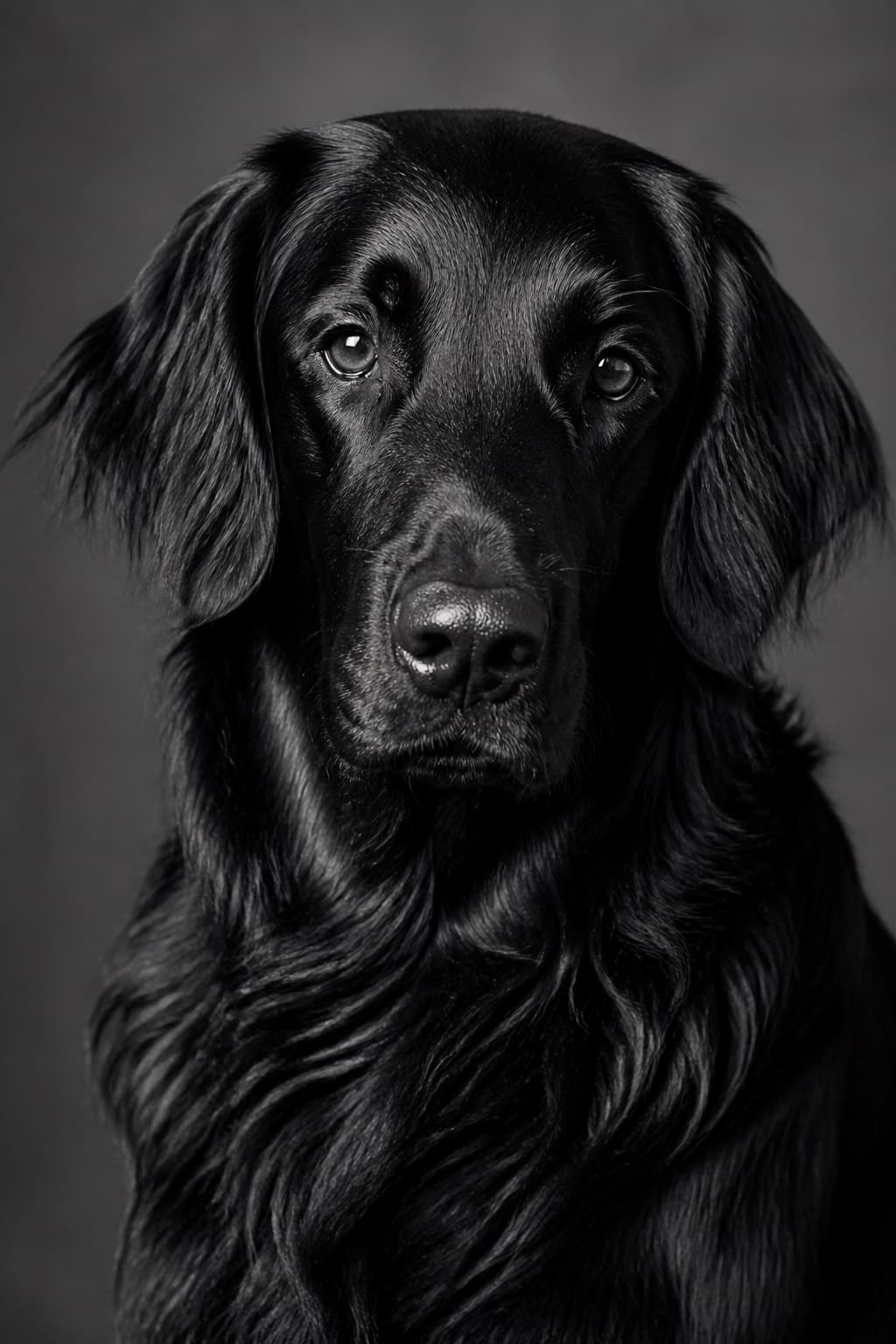
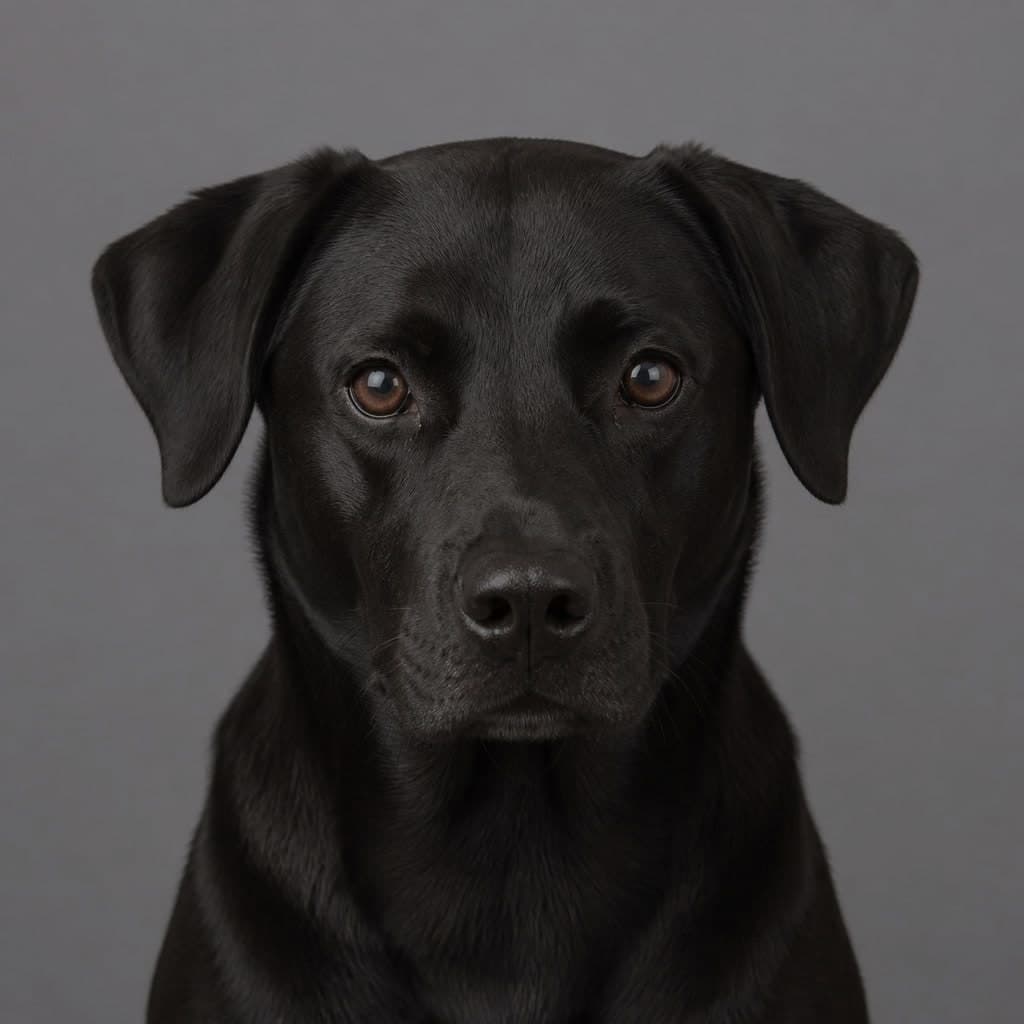
The clearest demonstration that a dark coat needs raking light: strip the colour out and the only thing left holding the head together is the direction the light came from.
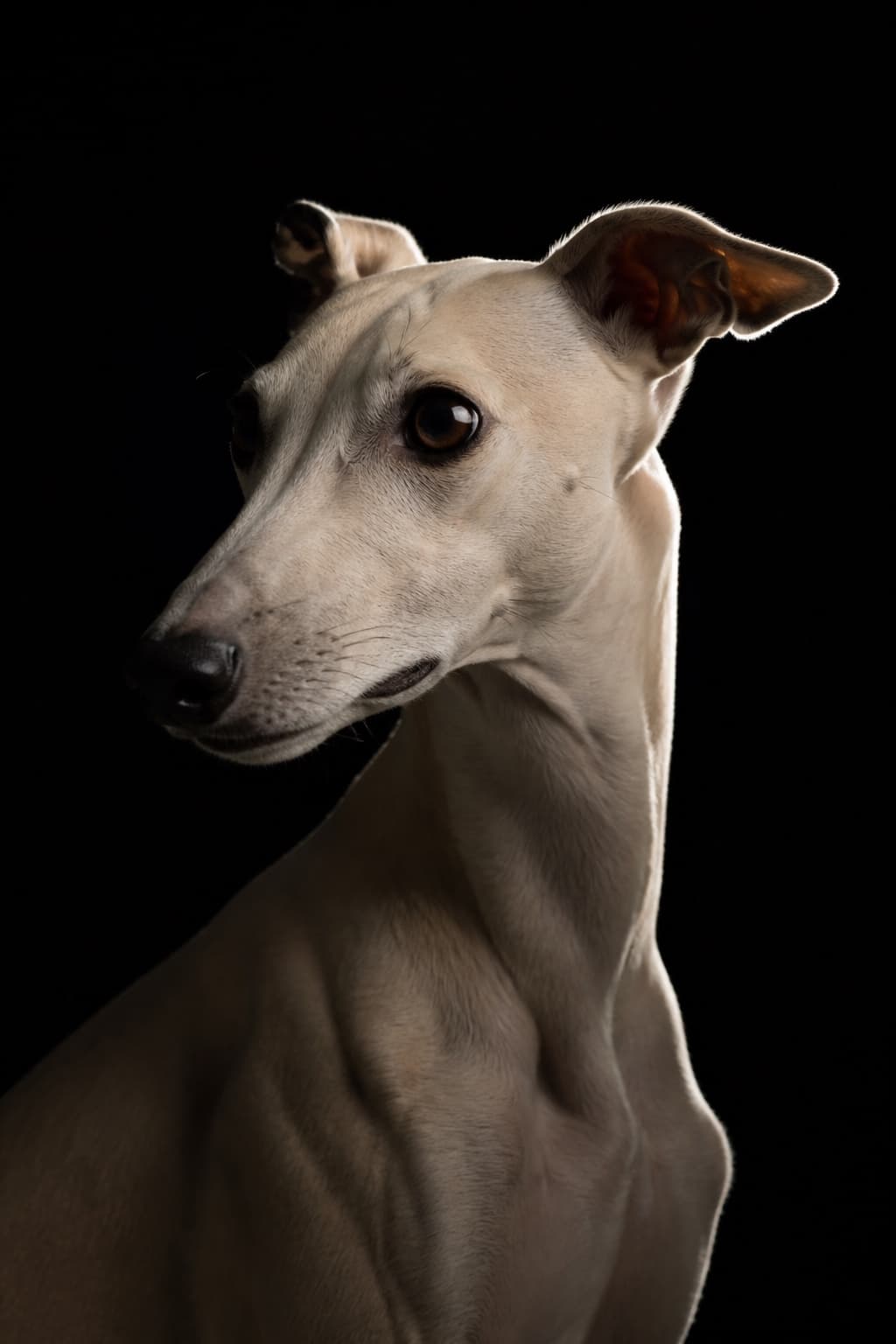
The deliberate version of the mistake. Here almost everything is allowed to go dark because one hard edge light draws the outline, which only works when the light is placed on purpose.
Created with PetPhotos from a described animal, not a customer's photos. Not stock photography.
Give them a background that is not also dark
A black dog on a dark sofa in a dim room is two dark things with no boundary, and no amount of editing will invent one. The single fastest improvement available is moving the animal in front of something lighter, which usually costs a few steps and no equipment at all.
Lighter does not mean brighter than the sun. A pale wall, a cream rug, dry grass, a hedge in open shade all work, because they separate the dog either by tone or by colour. What does not work is a bright sky directly behind, which puts the camera back into the argument it always loses.
| Background | What it does to a black coat | Worth trying when |
|---|---|---|
| A pale wall or a light rug | Holds the outline cleanly and lets you keep the coat properly dark | You are indoors and the light comes from one window |
| Grass or a hedge in open shade | Separates by colour rather than brightness, which is kinder to the ears | The sky is overcast and the light is even everywhere |
| Bright sky behind the dog | Turns the animal into a silhouette unless you add exposure by hand | You want the silhouette, or you can put light back on the face |
| A dark room or a black backdrop | Loses the coat entirely unless something rakes across it from the side | You are lighting deliberately and want only the edge to show |
Set the exposure by hand, then check the eyes
Every phone made in the last decade lets you tap the subject and then drag a slider up or down. With a black dog filling the frame and a background no brighter than the room, drag it down. That feels backwards, because the picture on the screen already looks dark to you — but the camera has just measured a frame full of dark fur, concluded the whole scene was underlit, and brightened everything to compensate. Taking it back down is what returns the coat to black instead of the dusty grey the camera settled on.
The exception is the one the table above flags. Put a bright window or a white sky behind the dog and the camera has the opposite problem: it has darkened the frame to protect the bright part, and left you the silhouette. Then you drag up, and you accept that the background will go pale. Which way to move is decided by what is behind the animal rather than by the colour of the coat, which is the real reason to settle the background before you touch any setting.
Go too far down and the coat closes up into a shape with no fur in it at all; too far up and it turns grey while the background blows out. Nudge rather than shove. If your camera offers a live histogram or a highlight warning, use it; if it does not, keep one frame at the setting the camera chose and one either side of it, and compare them later on a larger screen than the one you took them on.
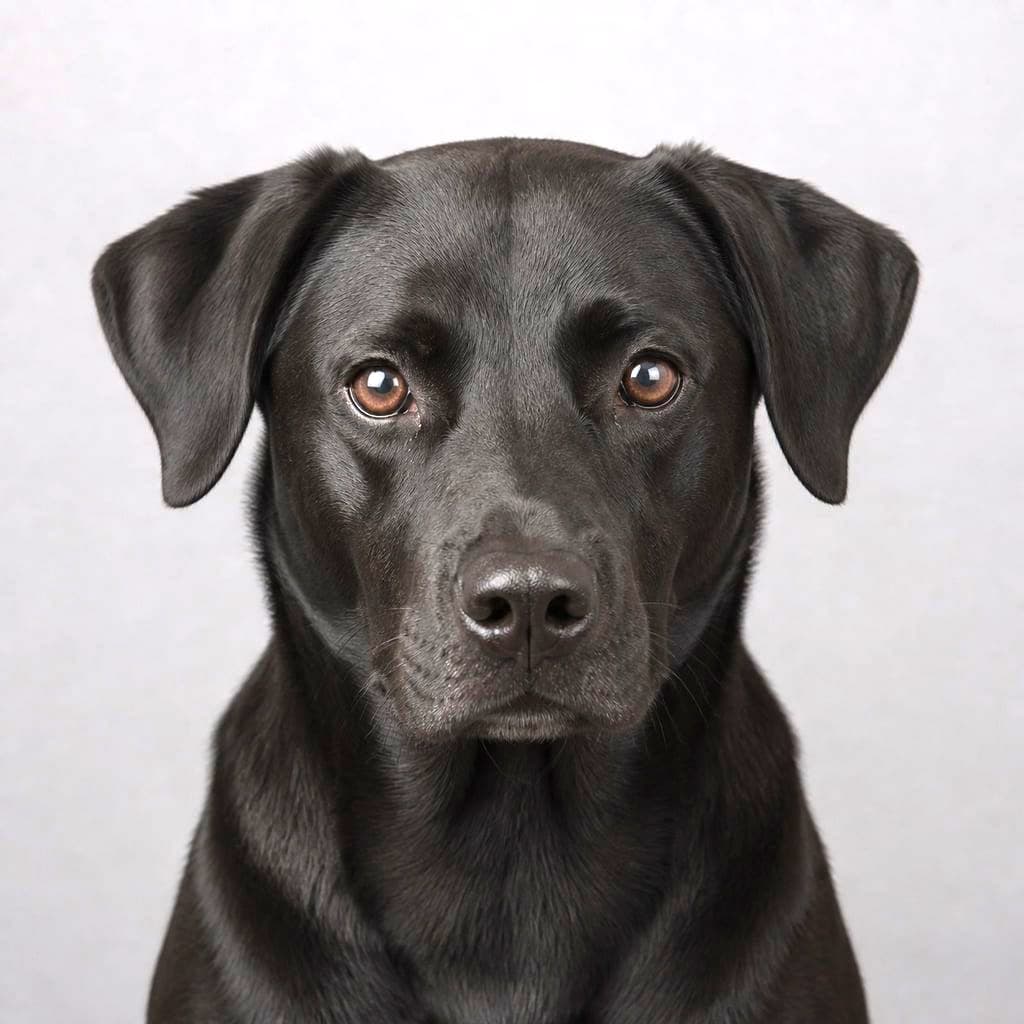
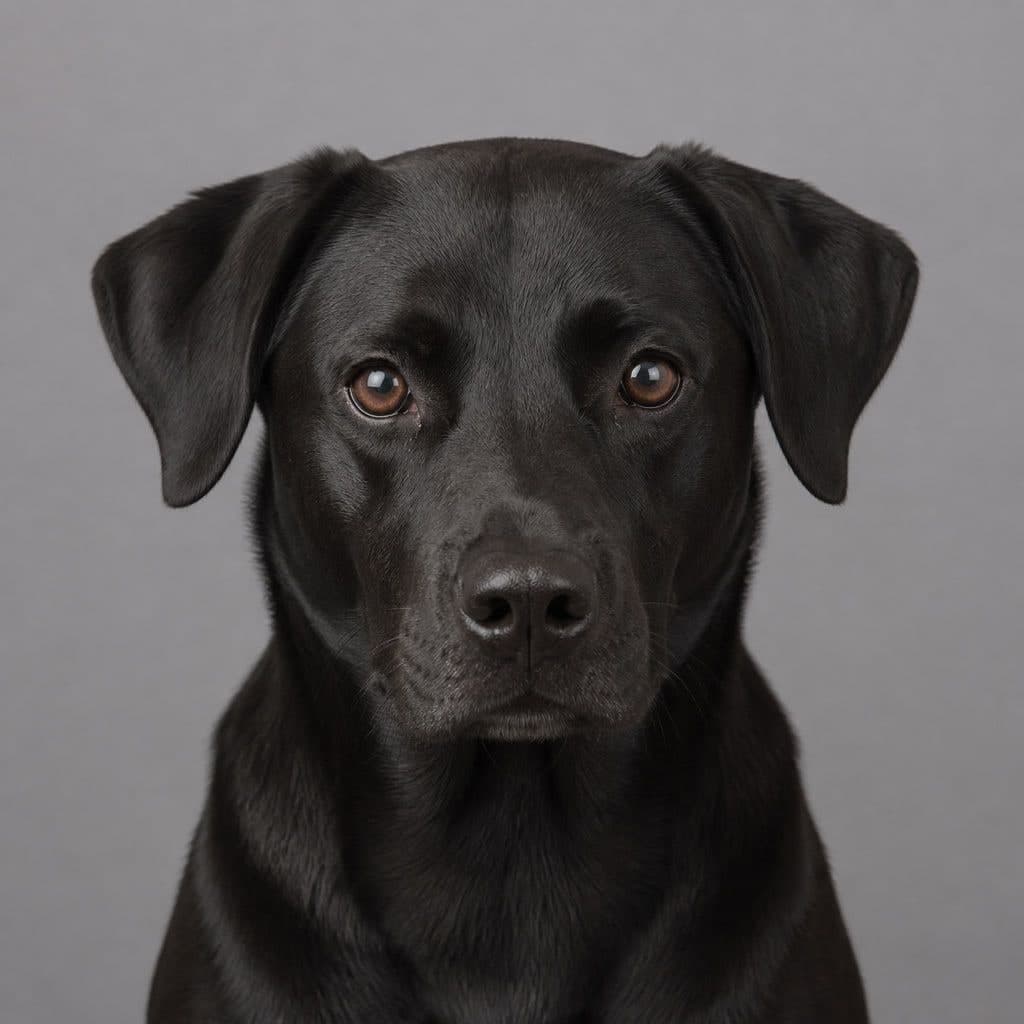
Then look at the eyes. A dark dog with no light in the eyes reads as a shape, however good the coat looks. Move until you can see a small reflection of the window or the sky in them, and focus on the eye nearer the camera rather than on the head in general. If those eyes come out soft, the cause is almost never the coat: see why pet photos come out blurry.
- Tap the face, then take the exposure slider down until the coat reads properly black rather than dark grey.
- Go the other way — up — only when there is a bright window or sky behind the dog.
- Keep one frame at the camera's own setting as insurance.
- Check for a catchlight in the near eye before you take a second one.
- Shoot the darkest animal you own first, while the light is best and everyone is still patient.
What to do with the photos you keep
Do not rescue a dark frame by dragging the shadows all the way up. A black coat lifted hard goes grey and grainy, and the grain lands exactly where the fur detail should be. It is nearly always better to take another photograph in better light than to repair one taken in bad light, which is annoying advice and also true.
Send the sharpest few rather than the most flattering few. A photograph where the coat holds texture and the eyes are clean gives anything downstream something to work with, whether that is a print, a card, or the Black and White style we make from your own photos. The whole point of monochrome on a dark animal is that it stops pretending colour is doing the work.
If you are photographing a dark dog specifically so somebody can have a picture of them, the same rules apply and the stakes are higher, which is most of what dog portraits come down to. And if the dog will not hold still long enough for any of this, that is a separate problem with a separate answer: how to get a dog to look at the camera.